
No tracking, no account
No analytics, no sign-in, no “create a project first”. Install it, open two files, compare. That is the whole flow.
A desktop comparator that reads structure — keys, array items, XML nodes, attributes, SQL statements — instead of raw lines. It runs offline: no account, no tracking, and nothing leaves your machine.
Flatpak · Flathub · .deb · APT · macOS · GPL-3.0-or-later
Install in one command
$ flatpak install flathub com.digitalgex.RustDiffAny distribution. Updates with flatpak update.
$ sudo apt install ./rustdiff_*.debUbuntu 24.04+ or Debian 13+, amd64 and arm64.
$ brew install --cask jereok91/rustdiff/rustdiff-appApple Silicon and Intel. Updates with brew upgrade --cask.
Every channel, from Flathub to building from source, is further down. See all install options
Why offline
Comparing credentials, tokens, certificates or customer data in an online diff means uploading them to someone else’s server. RustDiff never does that: there is no server, no upload and no telemetry.
No analytics, no sign-in, no “create a project first”. Install it, open two files, compare. That is the whole flow.
API keys, connection strings, private keys, personal data: the document only moves between your disk and the app window.
The React interface calls typed Rust commands only, so it never touches the filesystem. Parsing, history and settings live in the Rust core.
Saved sessions live in a local SQLite file (~/.local/share/rustdiff/history.db). Delete the file and the history is gone; nobody else holds a copy.
Open source under GPL-3.0-or-later: read every line before you trust it.
Features
JSON, XML and SQL are compared as structure, with a line-by-line fallback for plain text. The viewer around it is built to be driven from the keyboard.
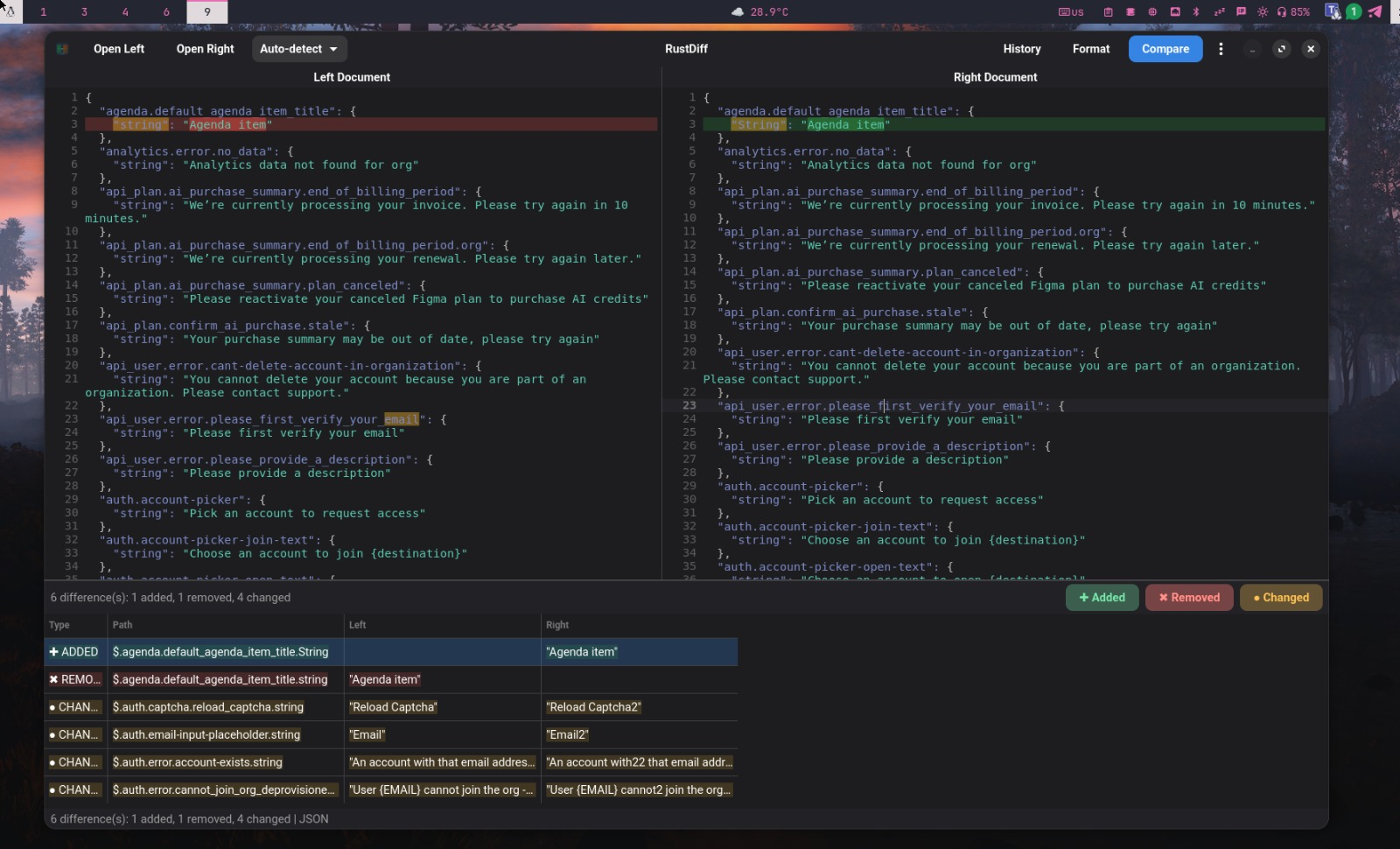
Keys, array items, XML nodes, attributes, text and SQL statements are matched by meaning. A reordered key is not a whole-file change.
CodeMirror 6 with syntax highlighting and character-level highlighting on the exact span that changed.
Filter by added, removed or changed, click a row to jump to the document, and step through with previous and next.
The left document as an interactive node graph on a canvas: pan, zoom, fit, search a node and inspect it.
Find text with a match counter, next and previous, and wrap-around at the end of the document.
Debounced auto-compare keeps the result current, and Ctrl+Enter compares immediately when you want it now.
Plain .txt for a log or a ticket, styled .html to share or archive the difference report.
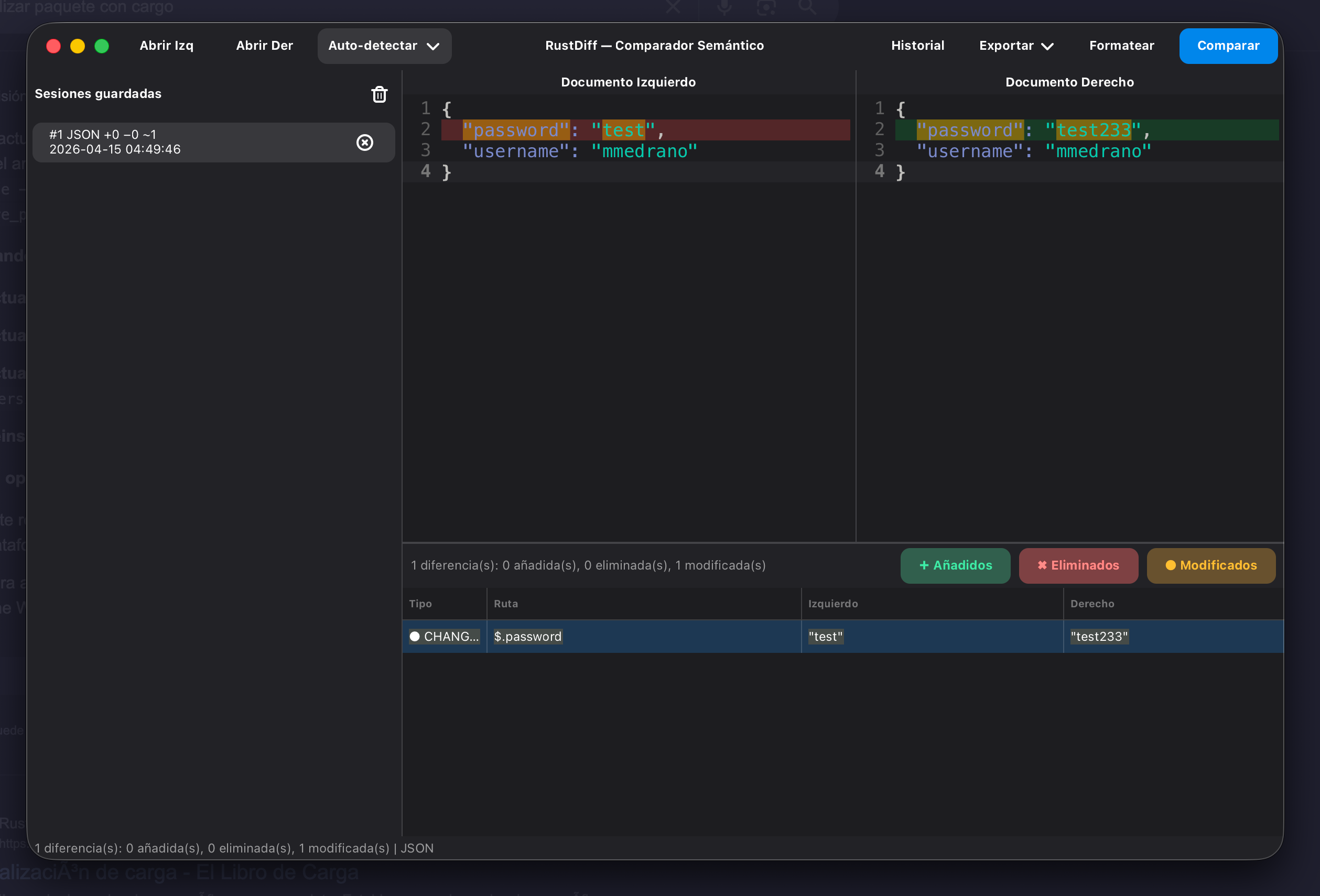
Saved sessions in local SQLite: searchable, paginated, restorable, with per-entry and bulk deletion.
Viewer options
RustDiff is opinionated where it matters and configurable where you work. These are real menus and real shortcuts, not a wishlist.
Every option is local. Nothing in this list asks you to sign in.
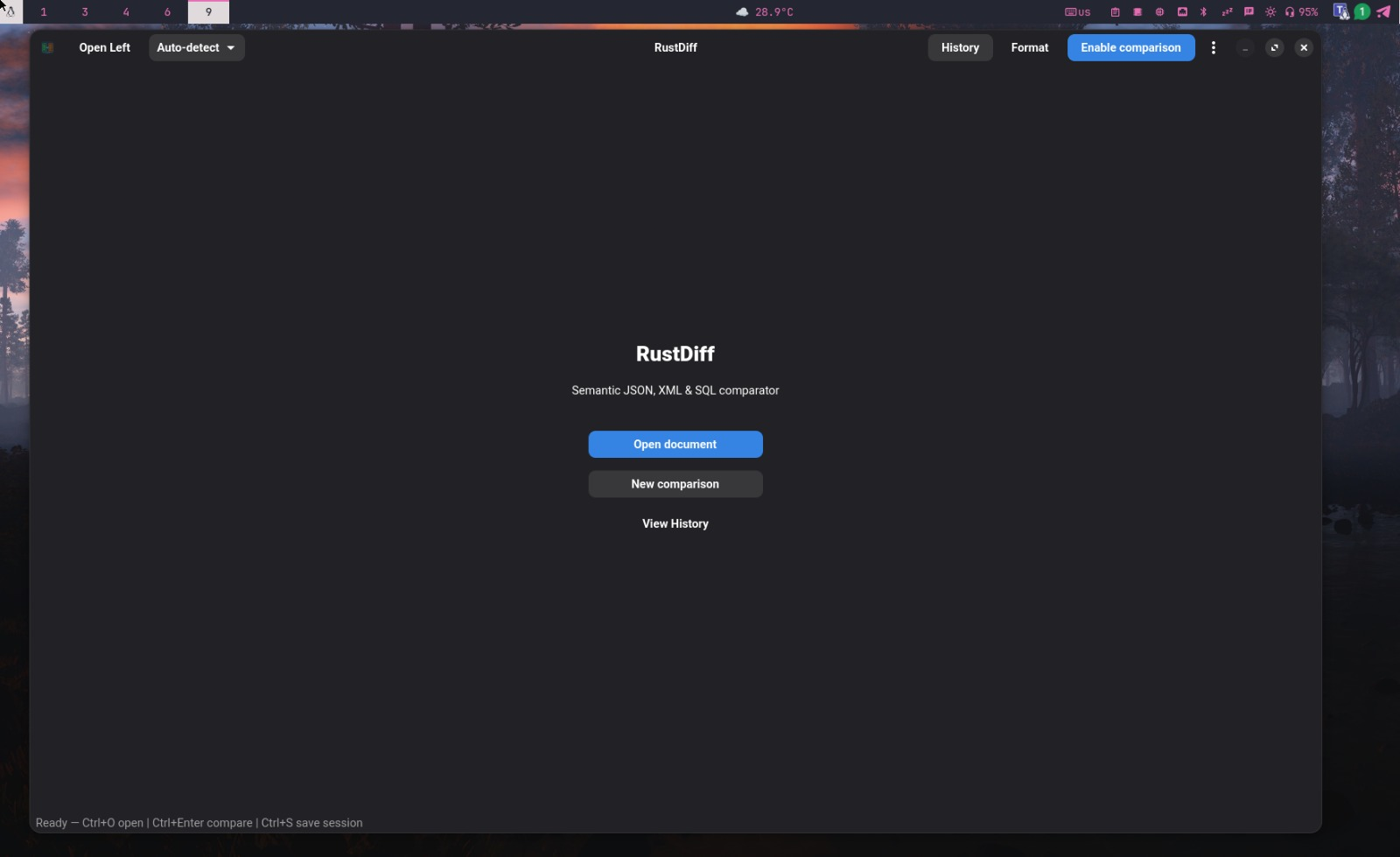
A look inside
Install
Linux and macOS ship the same binary with the same engine. Windows is not supported yet.
$ flatpak install flathub com.digitalgex.RustDiff Bundles its own GNOME runtime with WebKitGTK, so your distribution’s library versions do not matter. Update with flatpak update.
Open on Flathub ↗$ sudo apt install ./rustdiff_*.deb amd64 and arm64. Download the package from the releases page, or add the APT repository below to upgrade with plain apt upgrade.
Download the .deb ↗$ curl -fsSL https://jereok91.github.io/rustdiff/KEY.gpg | sudo tee /usr/share/keyrings/rustdiff-archive-keyring.gpg >/dev/null $ echo "deb [arch=amd64,arm64 signed-by=/usr/share/keyrings/rustdiff-archive-keyring.gpg] https://jereok91.github.io/rustdiff stable main" | sudo tee /etc/apt/sources.list.d/rustdiff.list >/dev/null $ sudo apt update && sudo apt install rustdiff
Add it once, then upgrade with the same apt upgrade you use for everything else.
$ brew install --cask jereok91/rustdiff/rustdiff-app Every release also ships a .dmg. The app is ad-hoc signed, so on first launch use right-click → Open, or run xattr -cr /Applications/RustDiff.app.
Download the .dmg ↗$ curl -fsSL https://raw.githubusercontent.com/jereok91/rustdiff/main/install.sh | bash Needs Rust 1.85+, Node.js 20+ and pnpm when it builds from source; on Debian and Ubuntu it only installs the release .deb.
$ cd desktop && pnpm install && pnpm tauri build On Linux you also need WebKitGTK 4.1 development packages and a C toolchain. The binary lands in target/release/rustdiff.
Build requirements ↗cargo install rustdiff is retired: crates.io still serves the old GTK 0.4.x. Use any channel above instead.
1.0.6 · GPL-3.0-or-later
Keyboard first
Press Ctrl+? inside the app to see this list without leaving the keyboard.